All articles
How to export data or share records
Please note that this is a premium feature.
To export your childs data do the following:
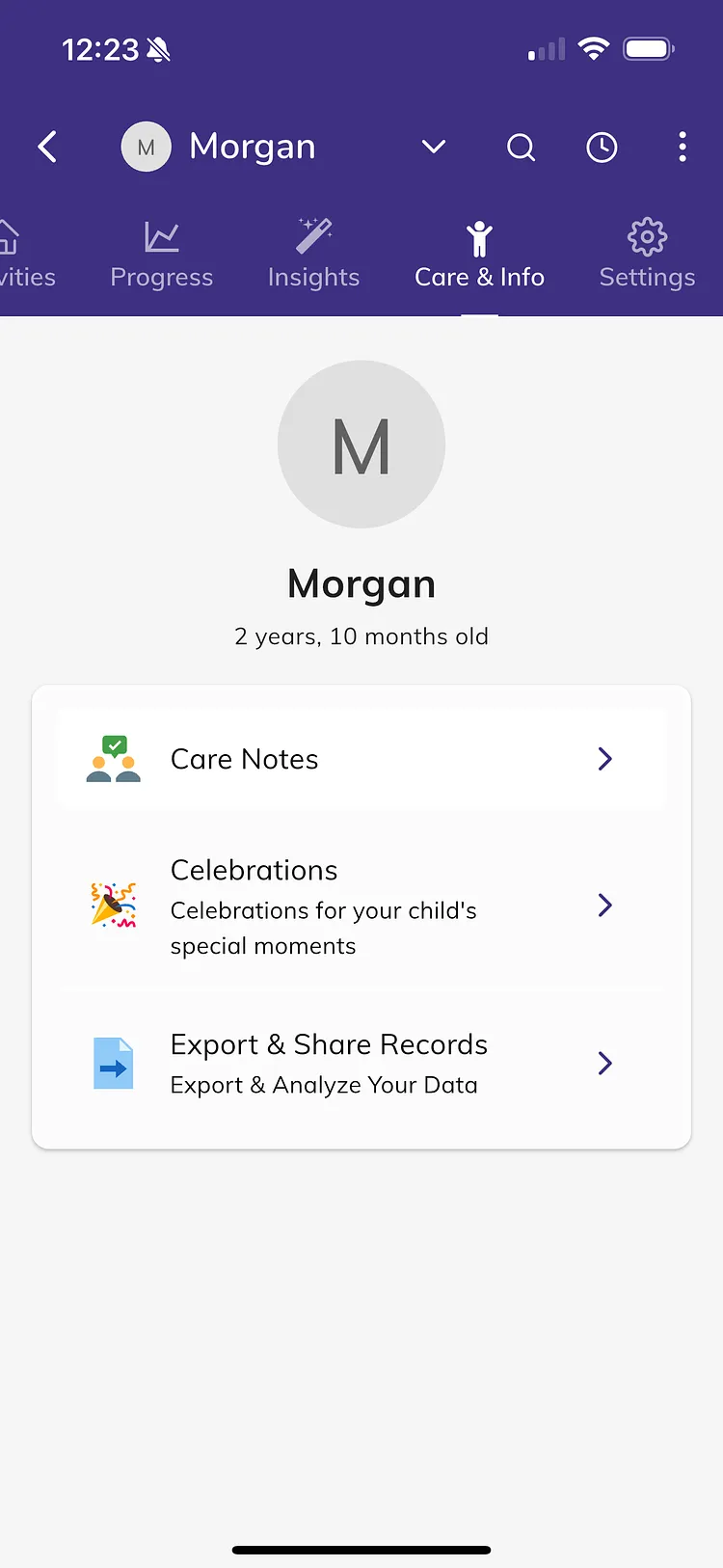
- Tap on your child from the main screen
- Tap on the Care & Info tab
- Tap on Export & Share Records
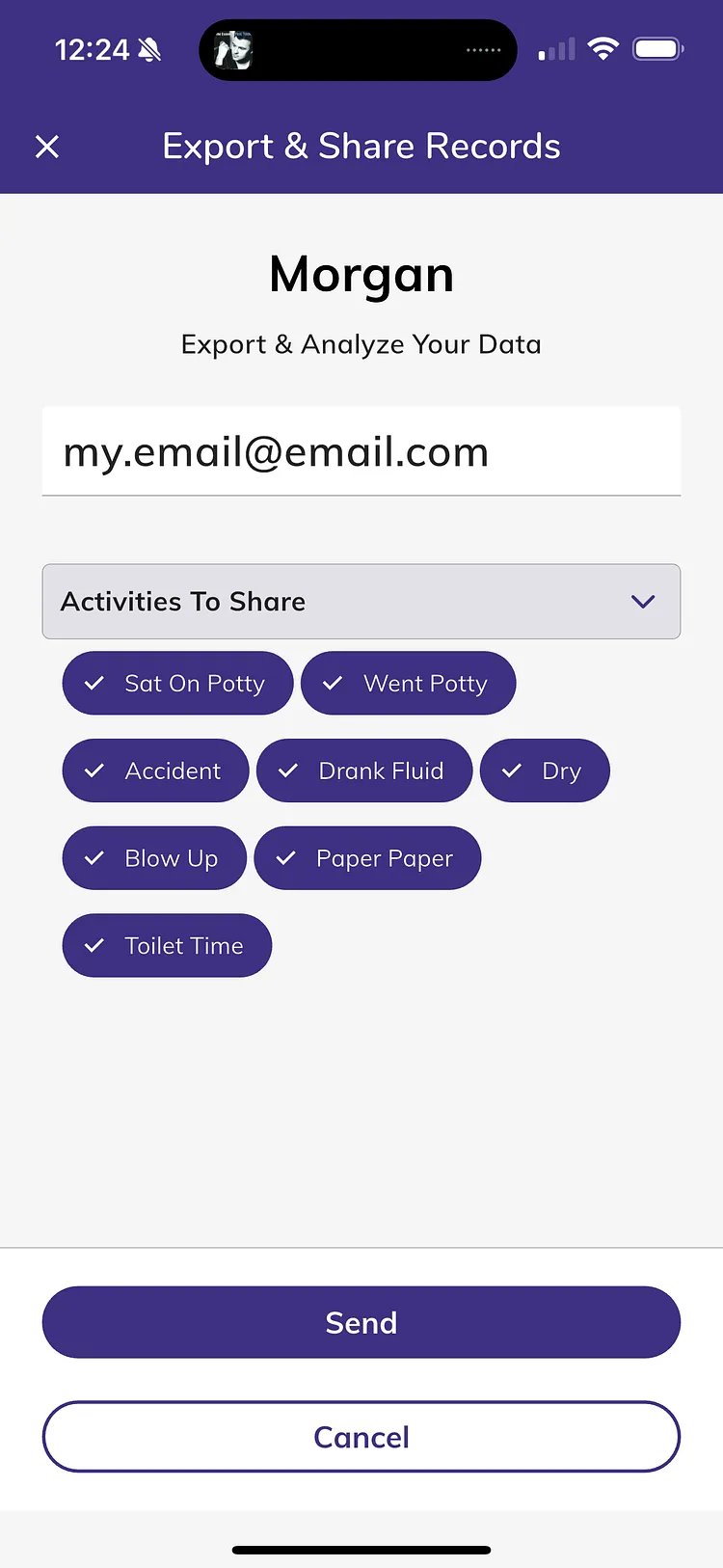
- Select the activities you'd like to export
- Enter the email address to send the data to
- Tap Send